
See vehicles near you
Guides for shippers
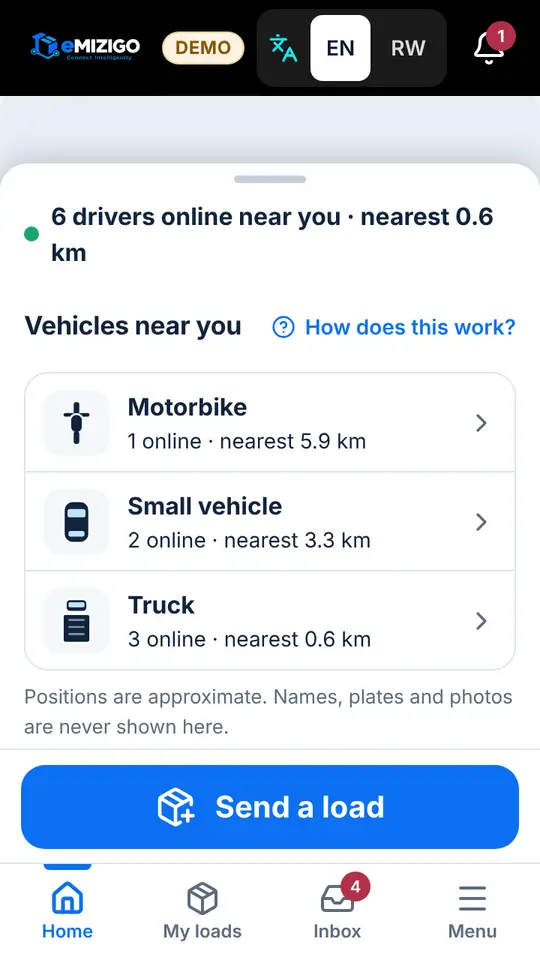
The home map shows drivers who are online near you as small icons: a motorbike, a small vehicle or a truck. They move as the drivers move. Positions are approximate, with no names, plates or photos. Drag the panel up (or tap it) to see how many of each type are online and how far the nearest one is. Tap a type to show only those on the map, then tap "Send a load with this vehicle" to start your load with that vehicle already chosen.