
How to archive notifications
Guides for shippers
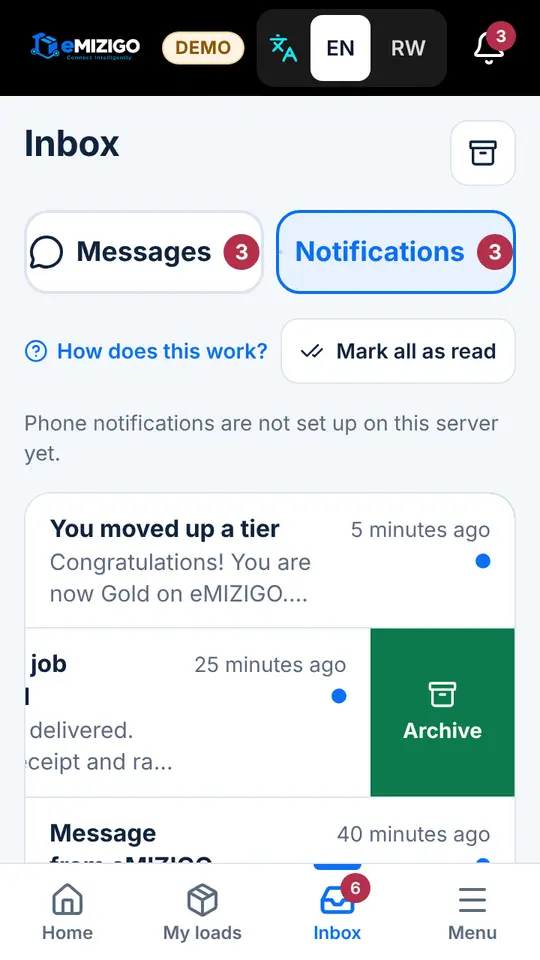
In Inbox → Notifications, swipe a notification to the left: a green Archive button shows. Tap it, or swipe all the way, and the notification leaves your list. "Notification archived" shows at the top for a few seconds: tap Undo to put it back. Archived notifications are not deleted: open the archive box at the top right of the Inbox to see them, and tap Restore to put one back. Tap a notification to read all of it; the button at the bottom opens what it is about.