
Your available time
Guides for drivers
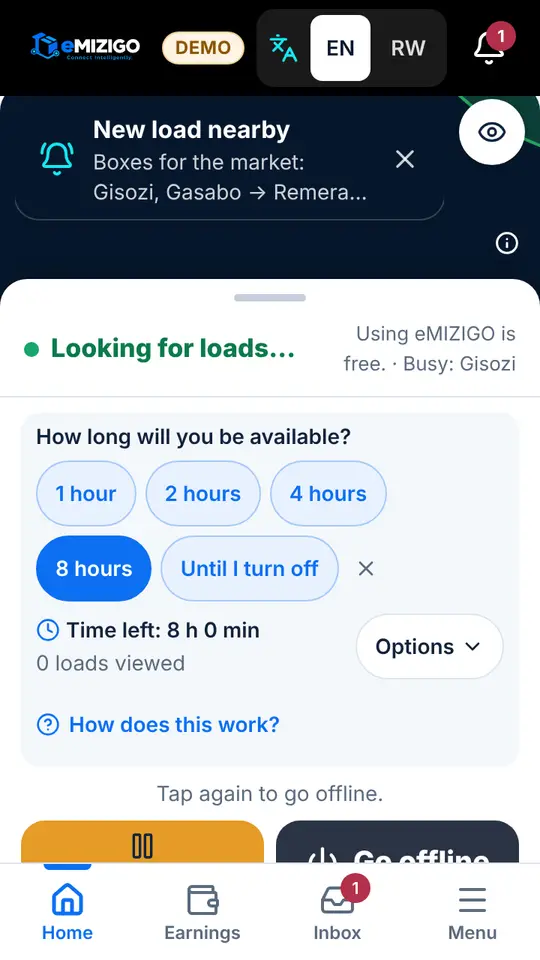
When you go Available, choose how long: 1, 2, 4 or 8 hours, or until you turn off. The bar shows the time left and the loads you viewed. Add time gives one more hour, Pause loads stops new loads with no time limit until you tap Resume receiving loads (you stay Available and online), and End now takes you offline. At the end you go offline by yourself and get one notification. The typical wait is an estimate from recent loads in your area, never a promise. Pause loads is also one tap away, next to Go offline.